Employee Authentication History by Employee
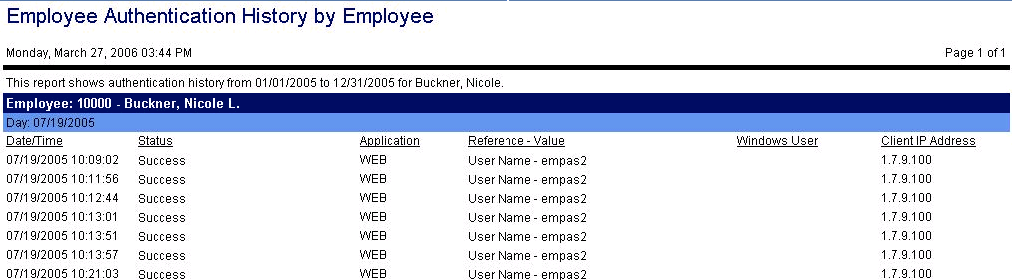
This report shows the login history of the employee during the indicated date range. Field information includes the date and time of each login attempt, the status of the attempt, such as success or user not found in system, the application the employee logged into, the user name, the windows user name (if applicable), and the client IP address where the user logged in.
Report parameters include the following options:
-
The employee to run this report for. Click on the icon to open a search screen to select the employee.
-
Start and end dates of the range to be included in the authentication history report.