Activity Code Listing
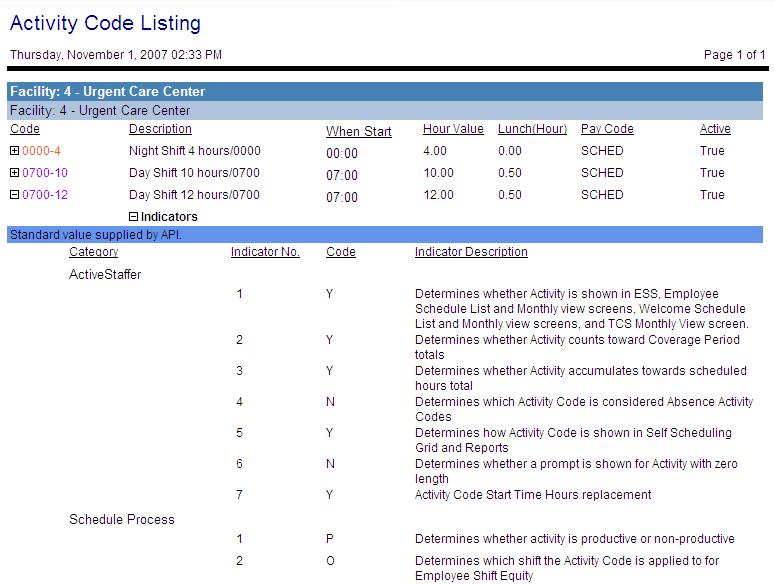
This report displays a listing of activity codes set up for the selected organization units. Fields include each activity code (displayed in the selected color), description, start time, hour value, lunch (hours), pay code link, and whether the code is active (true/false).
Click on the expand icon to the left of the record to open a sub-report displaying all the indicator and parameter settings for the activity code. These fields include the category (card name), the indicator or parameter number, the code setting, and the description of the indicator/parameter.
Note
This report can be scheduled for automatic generation and distribution.
Report parameters include the following options:
-
The organization unit to include.
Note
The organization unit level displayed is the organization link level where activity codes are set up in this corporation.
-
The activity code to include in the report, or leave this field blank to include all activity codes in the organization unit.
-
Whether to show indicator values for the selected activity codes (Yes/No).
-
Whether to show parameter values for the selected activity codes (Yes/No).